Suggestions
Example: Flat list of Skills
In this example, the card displays a flat list of Skill Suggestions without any grouping. The maximum number of suggested skills shown in the card is 10.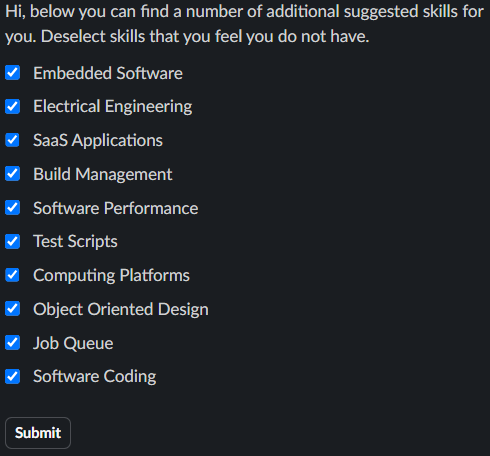
Example: Skills Grouped by Skill Cluster
In this example, the card displays Skill Suggestions grouped by Skill Cluster. Each Skill Cluster appears as a separate section within the card, clearly labeled by its Skill Cluster name. Within each Skill Cluster, a maximum of 4 skills are shown.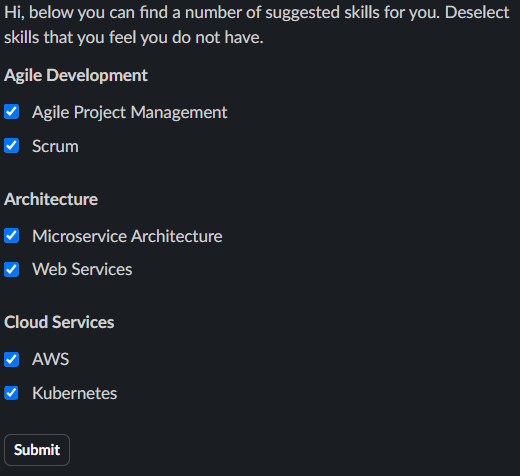
Example: Skill Suggestions with sources
In this example, the card includes the sources used to generate the Skill Suggestions.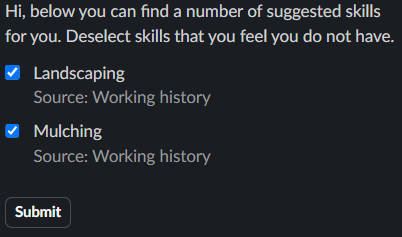
Example: Skill Suggestions with skill descriptions
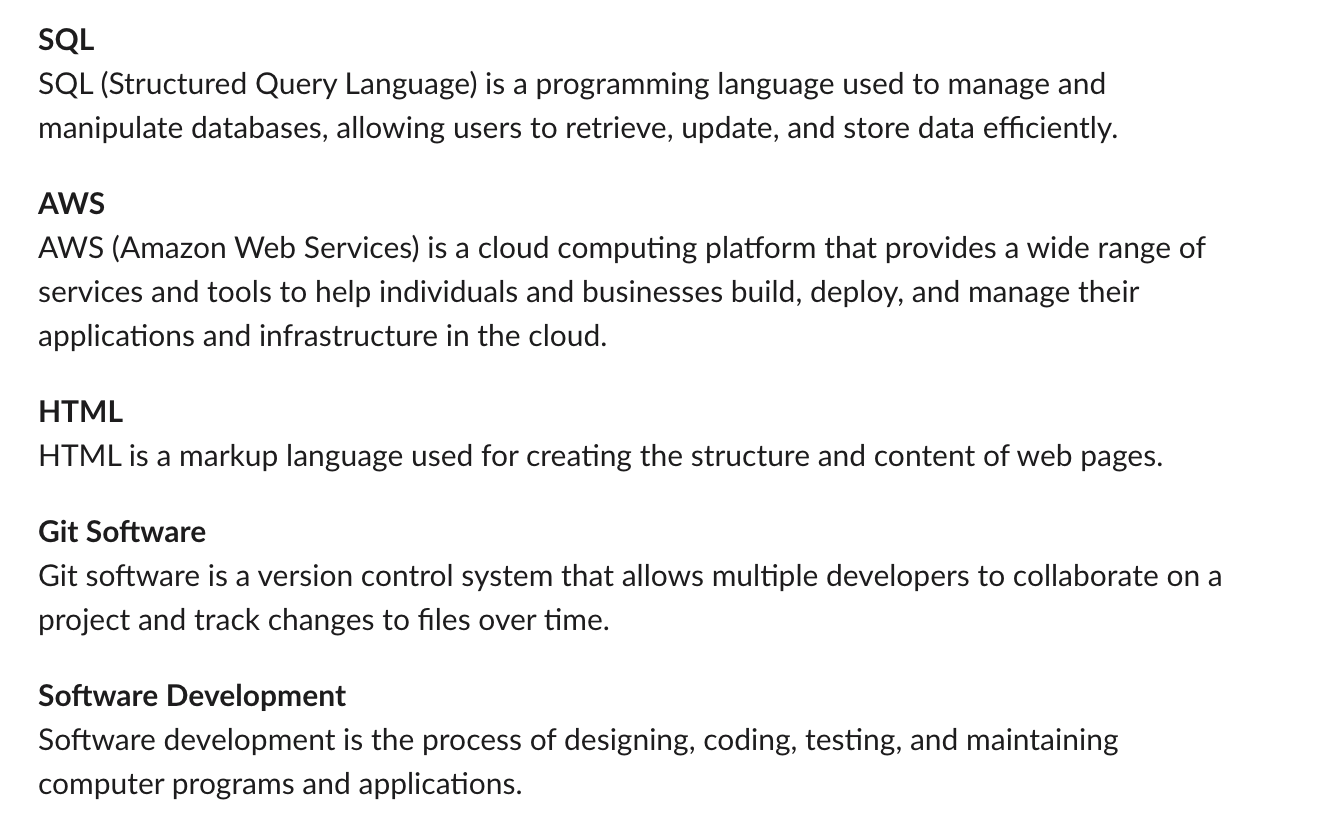
In this example, the Skill Suggestions card includes a button to show the skill descriptions of the suggested skills. When the button is clicked, a message with the Skills and their descriptions is sent to the user.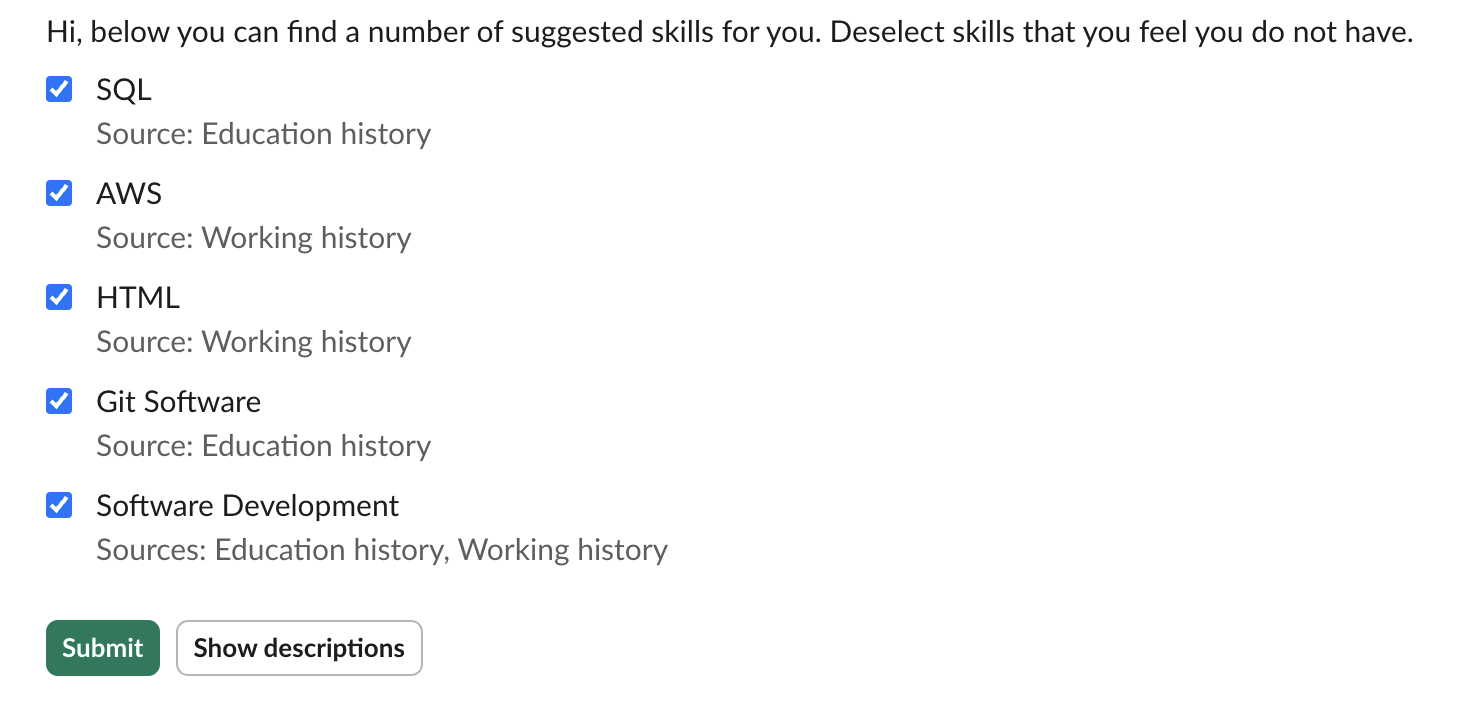
Skill descriptions
Skill descriptions in Skill Cluster format
If the skills are grouped by Skill Cluster, the skill descriptions message will be formatted accordingly.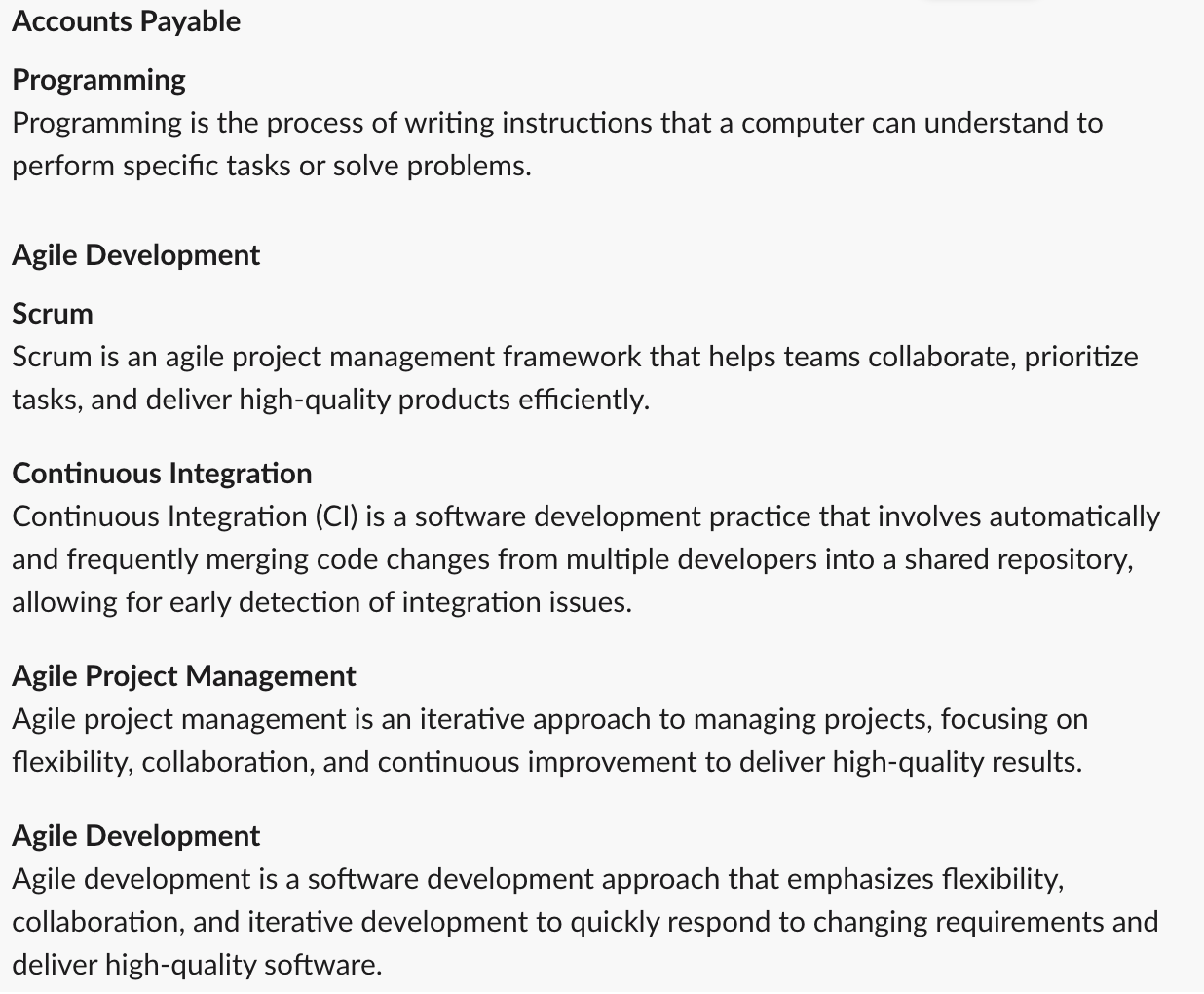
Validated Suggestions
In this example, the card displays a list of validated Skill Suggestions.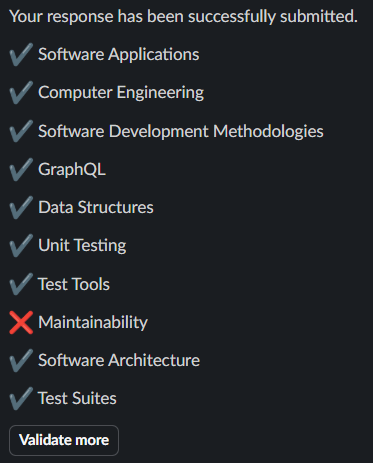
Outdated Message
When a new reminder or new skill suggestions are sent while previous suggestions are still unsubmitted, the previous message is replaced with the outdated message. There is no time-based trigger — this only happens when the next reminder or new skill suggestions are sent.
App Home
The Skill Assistant provides an App Home that enables employees to manage their Skill Profile directly in Slack, similar to the Skill Management Tab in Microsoft Teams.Example: Default Skill Profile Management
In this example, the Employee can manage their Skill Profile by simply adding or deleting Skills from the App Home.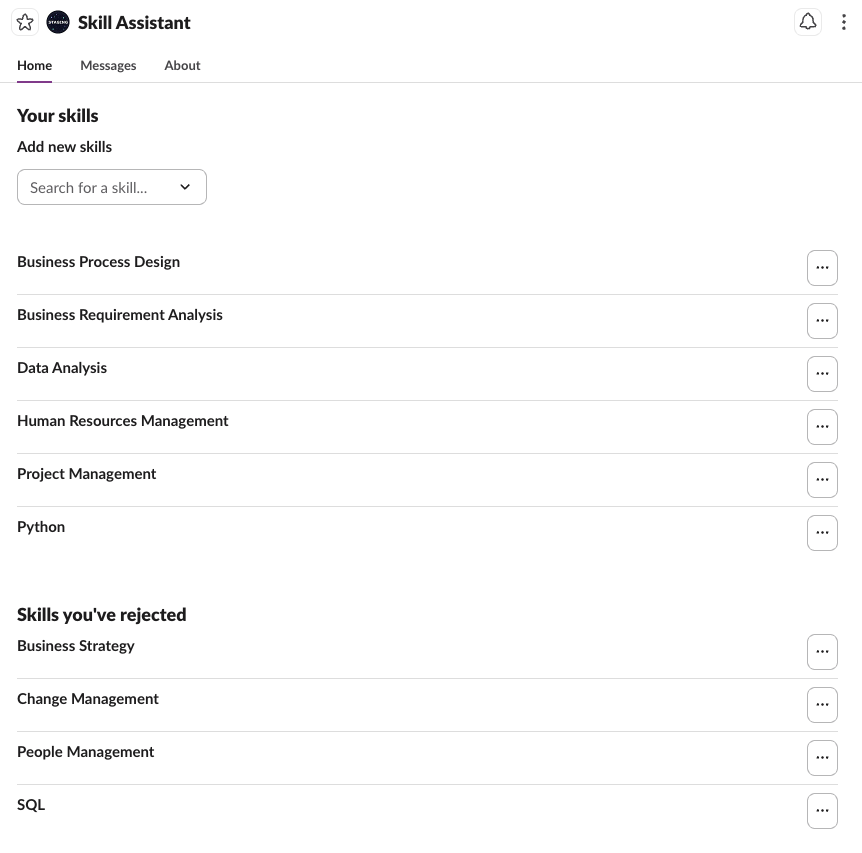
Example: Skill Profile Management including suggested and self-rated proficiency levels
The functionality can be extended to let the user govern their proficiency level for each Skill. Each level has a descriptive label so that the Employee knows what each level means. When available, a suggested proficiency level for each Skill is shown.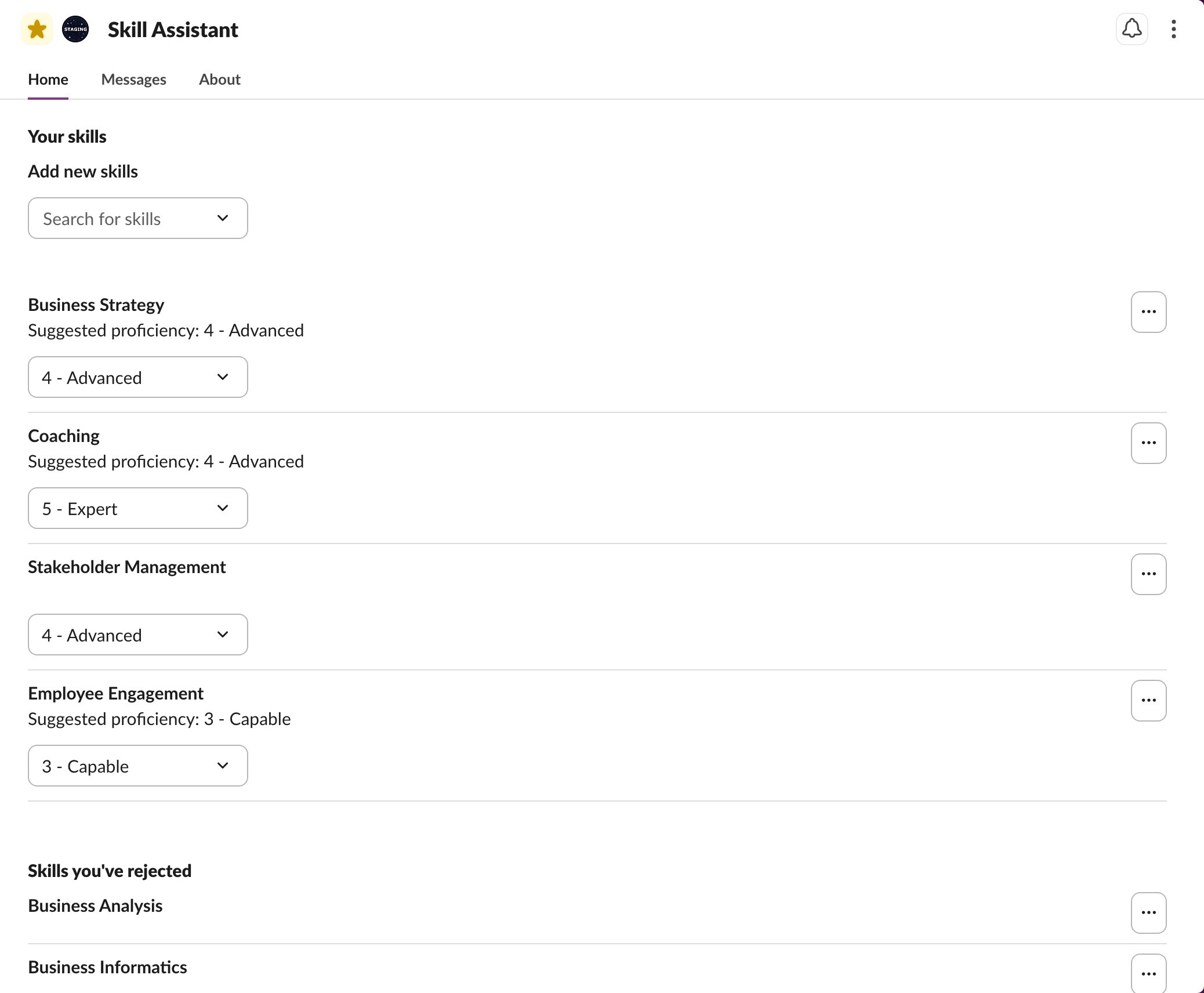
Example: Skill Profile Management including job-critical skills
The functionality can be extended to show which Skills are critical to the Employee’s current Job. Each Skill shows whether it is a Job skill, and the job-critical Skills are listed first, so the Employee knows which Skills matter most and which to rate first. Employees can still delete any Skill.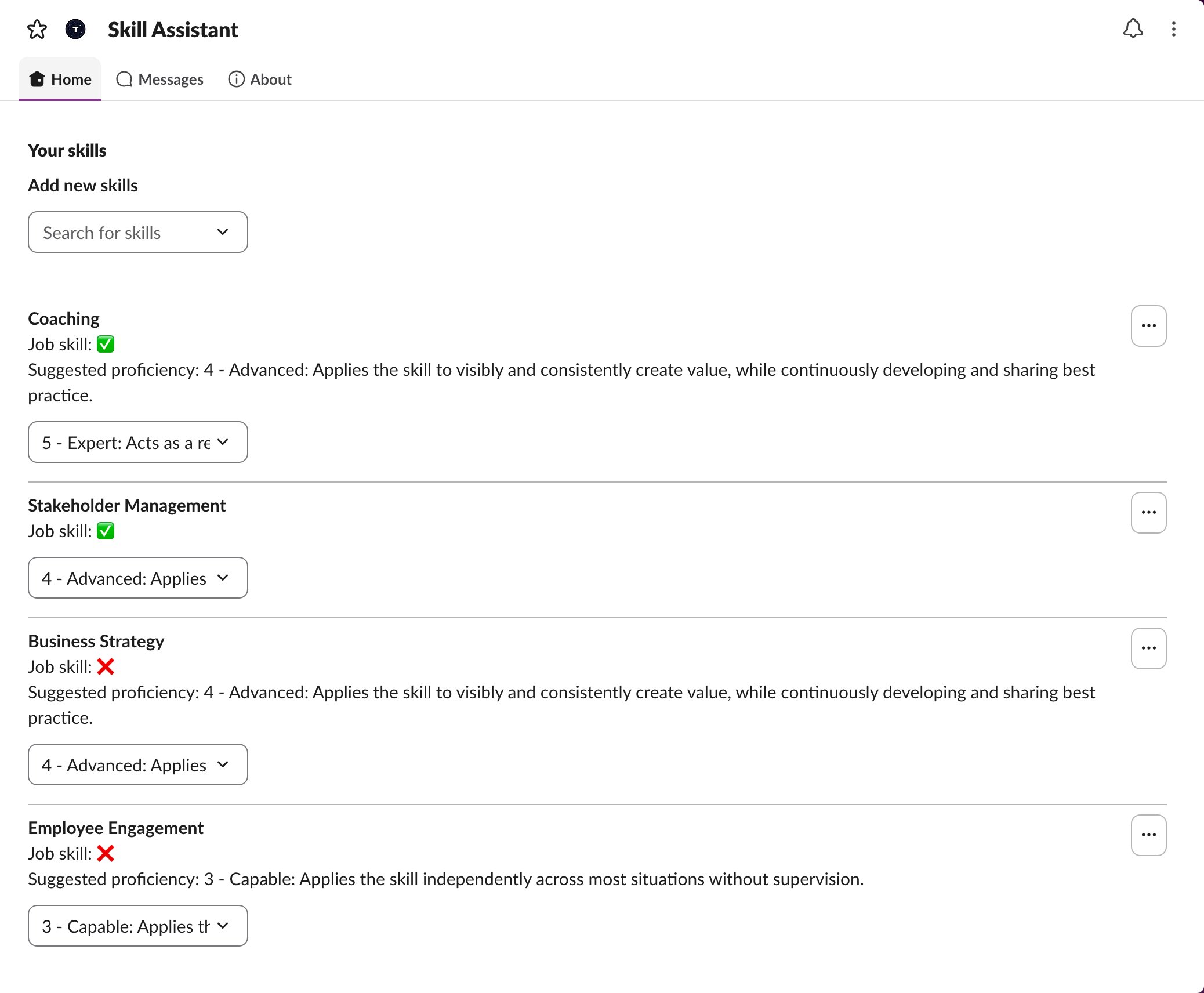
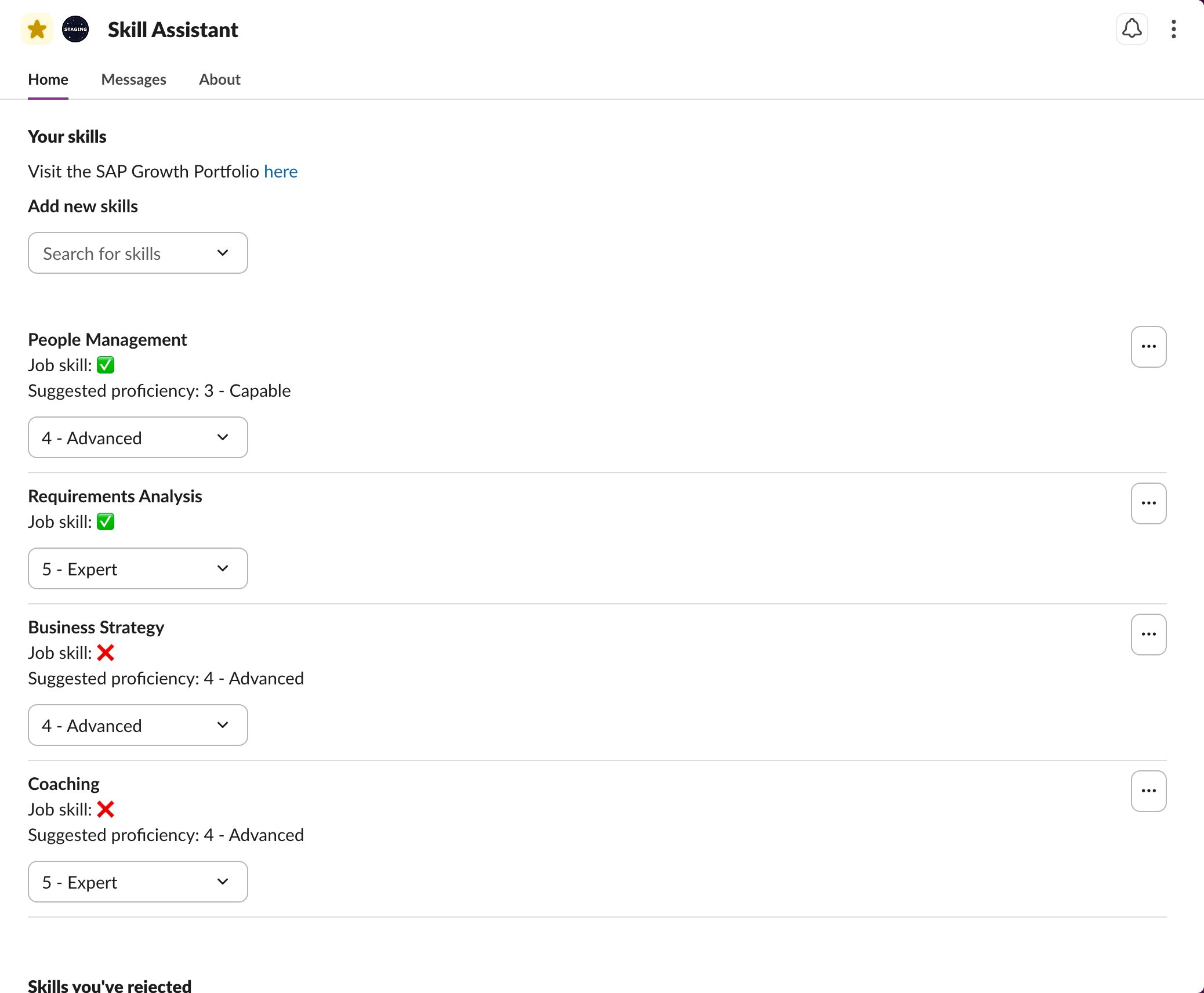
Example: Skill Profile Management for SAP customers
For SAP customers, the App Home is updated to reflect the same wording that is used in the SAP Growth Portfolio. A custom message can be configured with a link to the Employee’s SAP Growth Portfolio. Additionally, the Skills that are already part of the Skill Profile of the Employee through their Job are shown. The Employee has this Skill because their Job requires it. Employees cannot delete Job Skills from their Skill Profile.