

Usage Reports
The Analyst Agent keeps a query-level record of how your organization uses it, and lets your administrators download that record as CSV for any period. Use it to monitor adoption, review what the agent is being asked, and account for credit consumption. Reports cover every surface: questions asked in the TechWolf Console and questions asked through Microsoft 365 Copilot appear in the same files.Who can see reports
Reports are available to users with the Reports Viewer role under Analyst Agent, assigned per user in the Console’s User Management exactly like agent access itself. Any user who can manage users in your Console can assign it; see User Management.Reports Viewer includes everything Viewer gives, plus the reports,
so it replaces Viewer rather than sitting next to it. Users with plain
Viewer keep using the agent but do not see the reports.
There is no reports view inside the Microsoft 365 Copilot experience.
Copilot usage is included in the reports, but the reports themselves are
downloaded from the TechWolf Console.
The reports page
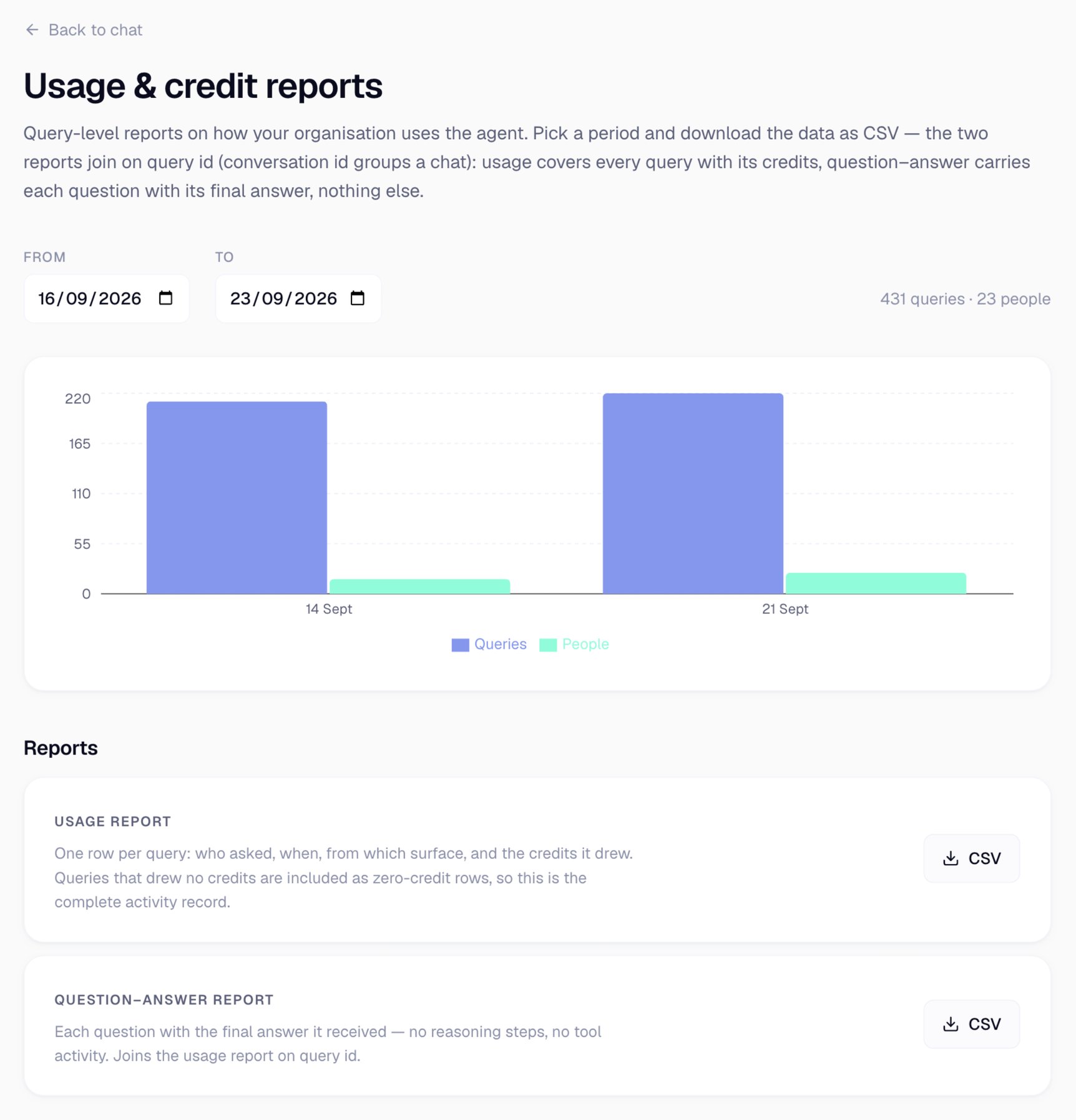
Pick a period, then download either report as CSV.
Usage report
One row per query: who asked, when, from which surface, and the credits it drew. Queries that drew no credits are included as zero-credit rows, so this is the complete record of activity rather than only the chargeable part.Question-answer report
Each question with the final answer it received. Nothing else: no reasoning steps, no tool activity, no intermediate output. It carries the same first five columns as the usage report, so the two files join onquery_id.
What the reports contain
- People are identified by a stable id, not by name or email address. The
same person carries the same
user_idin both reports and on every surface, so you can count distinct users and follow one user’s activity without the files carrying anyone’s identity. - TechWolf accounts are excluded. Sessions run by TechWolf staff assisting your team do not appear, and never draw on your credits.
- Answered queries only. A question the agent asked you back, before it started any work, is not a query.