

1. Find out the correct SAP SuccessFactors Company ID
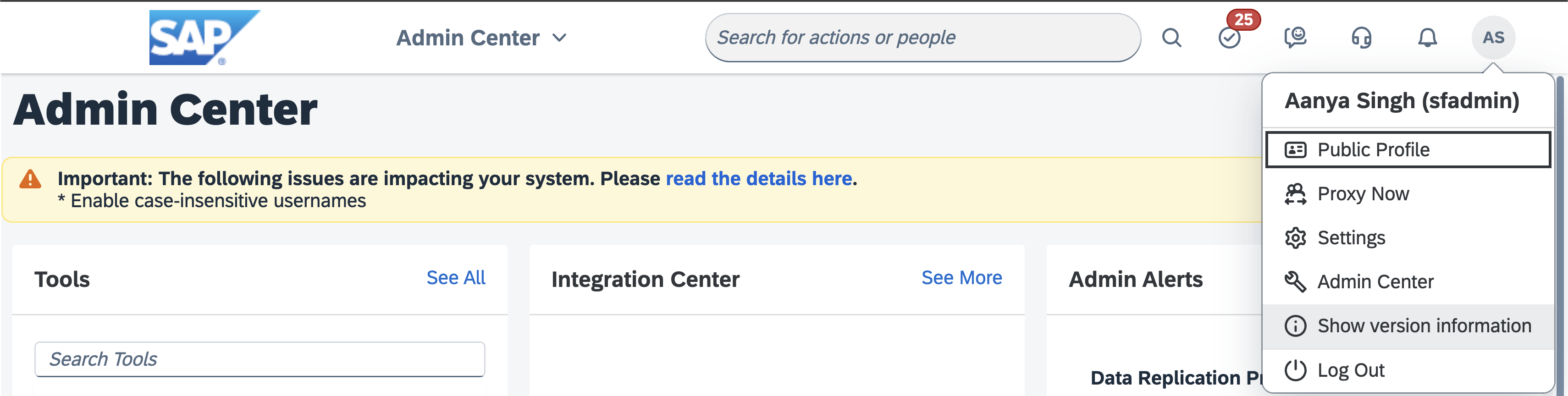
- As an SAP administrator, log into the SAP SuccessFactors environment you want to configure the integration for.
- Click on your profile icon in the top right corner and select “Show version
information”.
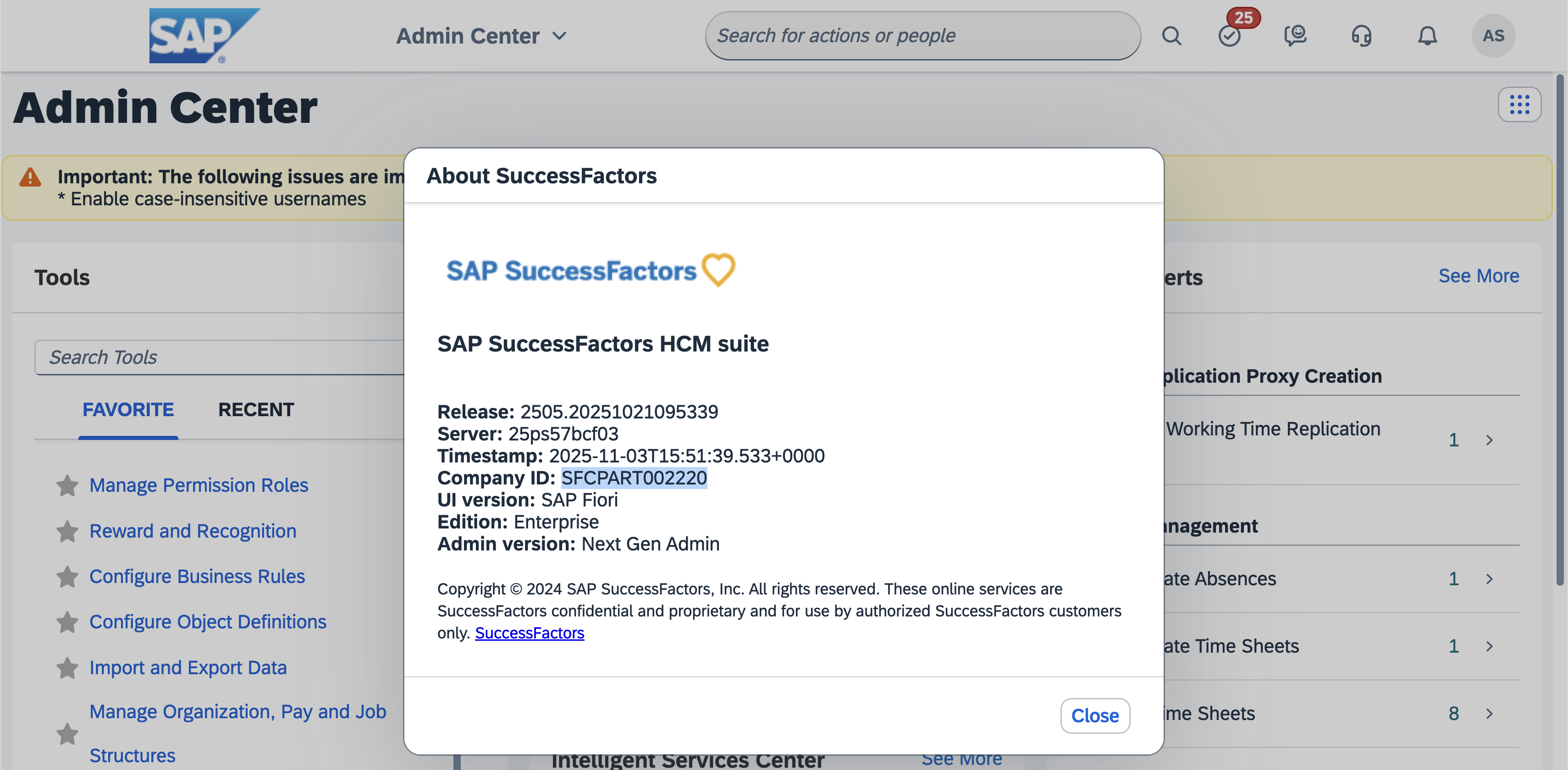
- The Company ID will be shown in the resulting window.
2. Find out the correct SAP SuccessFactors API URL
- As an SAP administrator, go to SAP for Me (if you have multiple credentials, sign in with your S-User credentials).
- In the Public Cloud Systems table, find the system you want to configure the
integration for.
- This system should have the value “SAP SuccessFactors HCM” in the
Cloud Servicecolumn.
- This system should have the value “SAP SuccessFactors HCM” in the
- The
Data Centercolumn will show the location of the data center of the system, e.g. “Netherlands: Eemshaven”.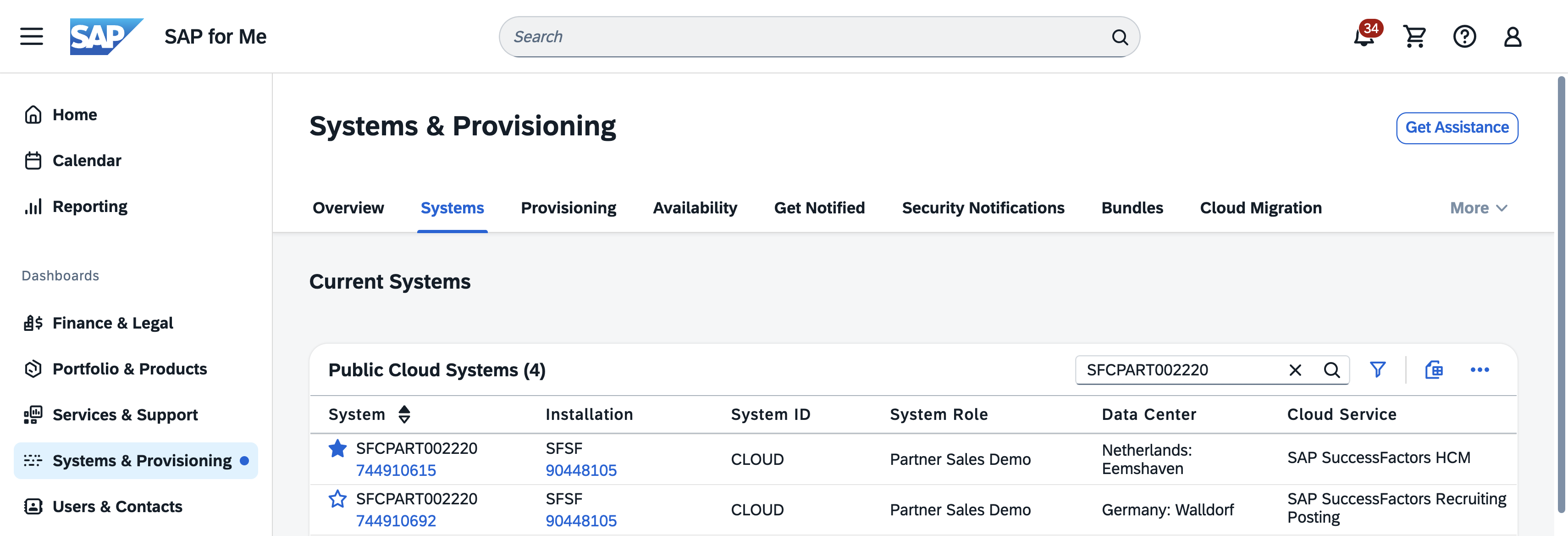
- Go to the List of SAP SuccessFactors API Servers
- In the API Servers table, find your Data Center.
- This Data Center should have the previously determined data center location
as the value of the
Locationcolumn. Note that the location name might differ in format from the location name in the previous step, e.g. “Eemshaven, The Netherlands” vs “Netherlands: Eemshaven”. Among all rows with this location, find the row with the appropriate value for theEnvironmentcolumn.
- This Data Center should have the previously determined data center location
as the value of the
- The
API Servercolumn will show the API URL for the API Server.