> ## Documentation Index
> Fetch the complete documentation index at: https://developers.techwolf.ai/llms.txt
> Use this file to discover all available pages before exploring further.
# How It Looks
# Suggestions
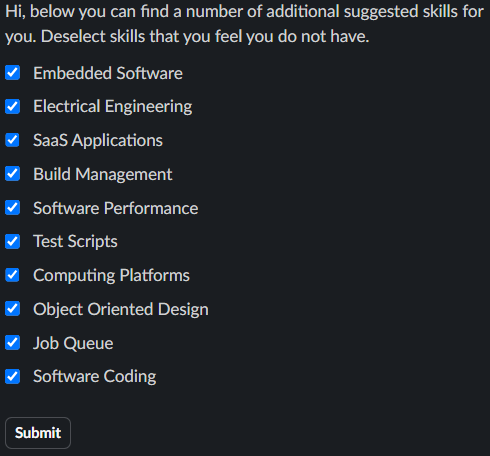
## Example: Flat list of Skills
In this example, the card displays a flat list of Skill Suggestions without any
grouping. The maximum number of suggested skills shown in the card is 10.
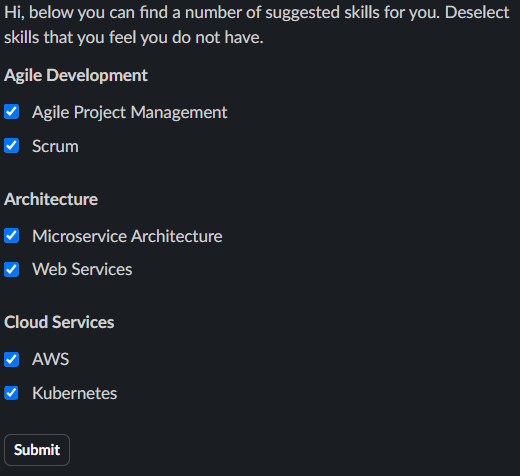
 ## Example: Skills Grouped by Skill Cluster
In this example, the card displays Skill Suggestions grouped by Skill Cluster.
Each Skill Cluster appears as a separate section within the card, clearly
labeled by its Skill Cluster name. Within each Skill Cluster, a maximum of 4
skills are shown.
## Example: Skills Grouped by Skill Cluster
In this example, the card displays Skill Suggestions grouped by Skill Cluster.
Each Skill Cluster appears as a separate section within the card, clearly
labeled by its Skill Cluster name. Within each Skill Cluster, a maximum of 4
skills are shown.
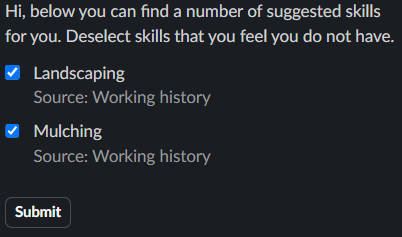
 ## Example: Skill Suggestions with sources
In this example, the card includes the sources used to generate the Skill
Suggestions.
## Example: Skill Suggestions with sources
In this example, the card includes the sources used to generate the Skill
Suggestions.
 ## Example: Skill Suggestions with skill descriptions
In this example, the Skill Suggestions card includes a button to show the skill
descriptions of the suggested skills. When the button is clicked, a message with
the Skills and their descriptions is sent to the user.
## Example: Skill Suggestions with skill descriptions
In this example, the Skill Suggestions card includes a button to show the skill
descriptions of the suggested skills. When the button is clicked, a message with
the Skills and their descriptions is sent to the user.
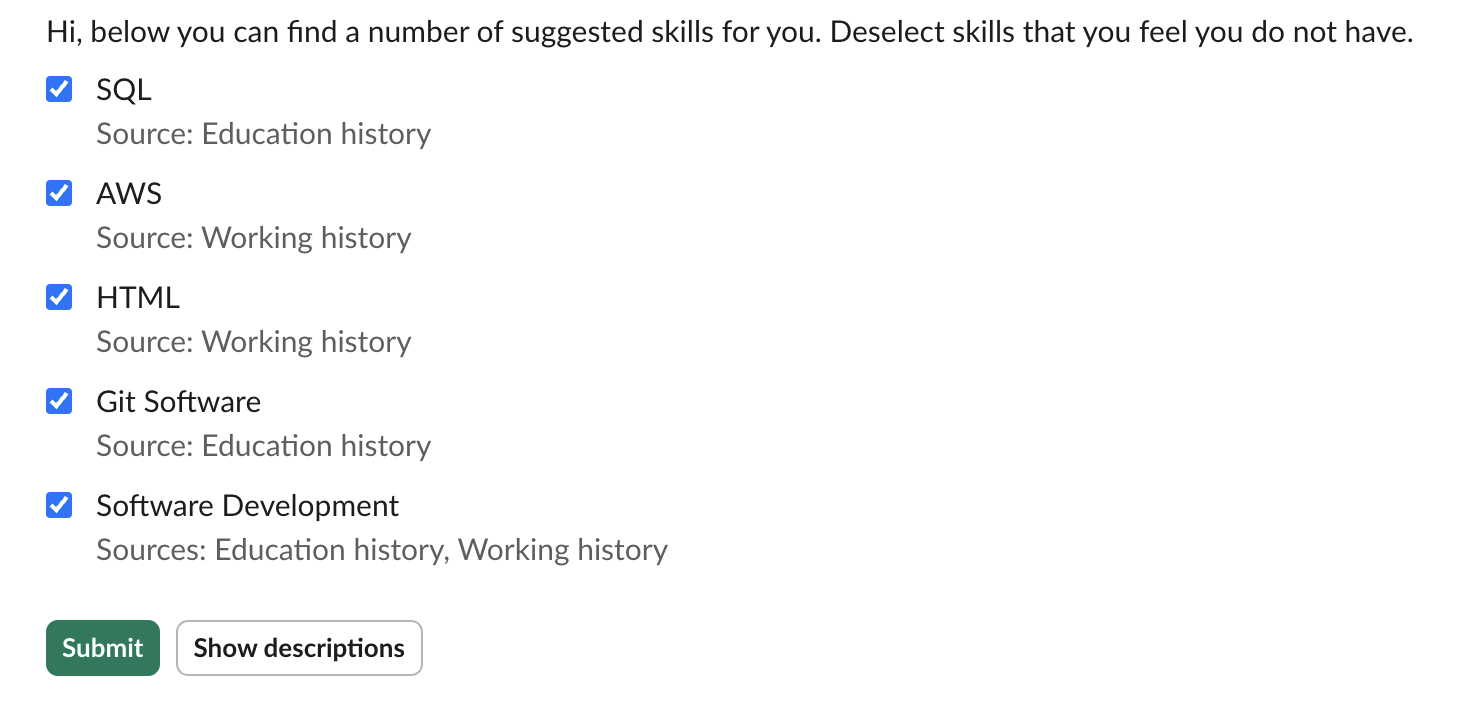 ### Skill descriptions
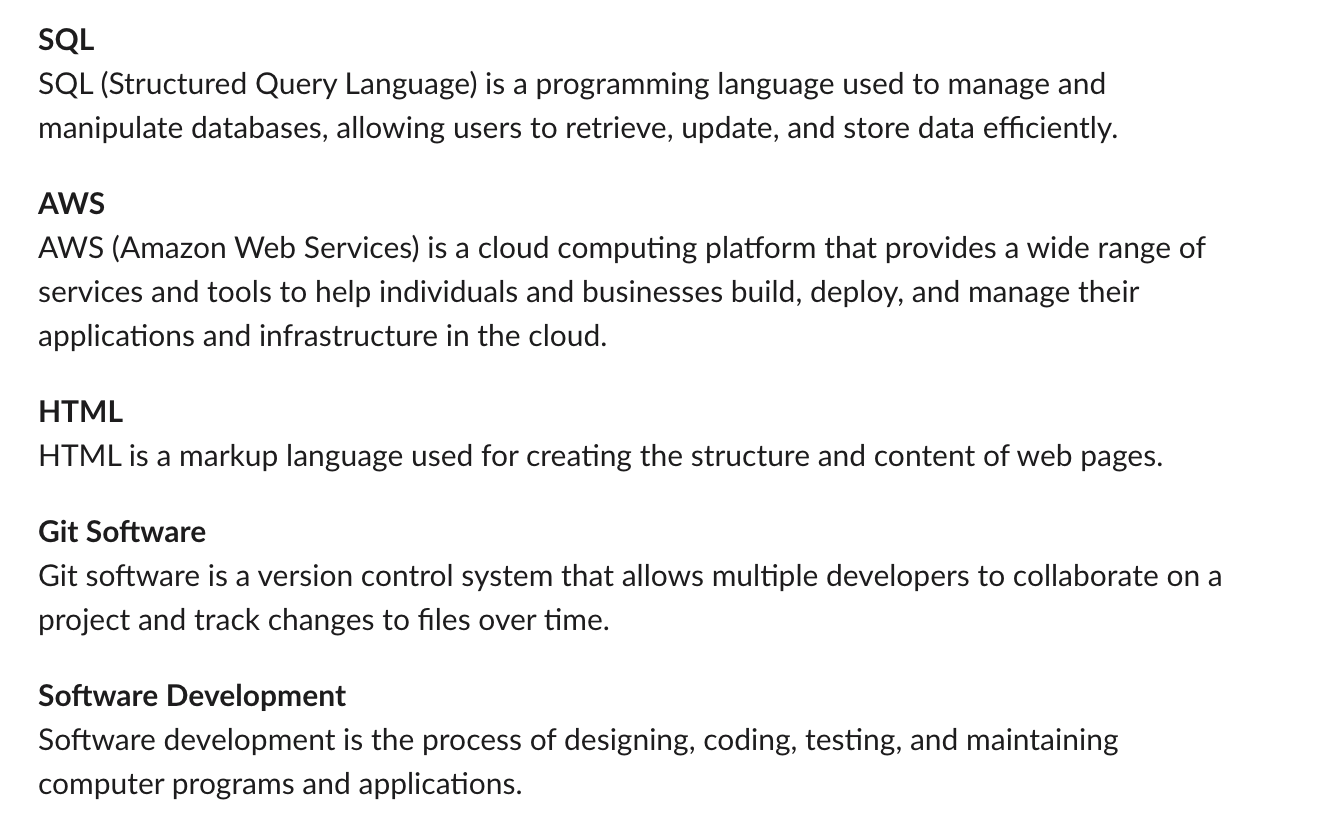 ### Skill descriptions in Skill Cluster format
If the skills are grouped by Skill Cluster, the skill descriptions message will
be formatted accordingly.
### Skill descriptions in Skill Cluster format
If the skills are grouped by Skill Cluster, the skill descriptions message will
be formatted accordingly.
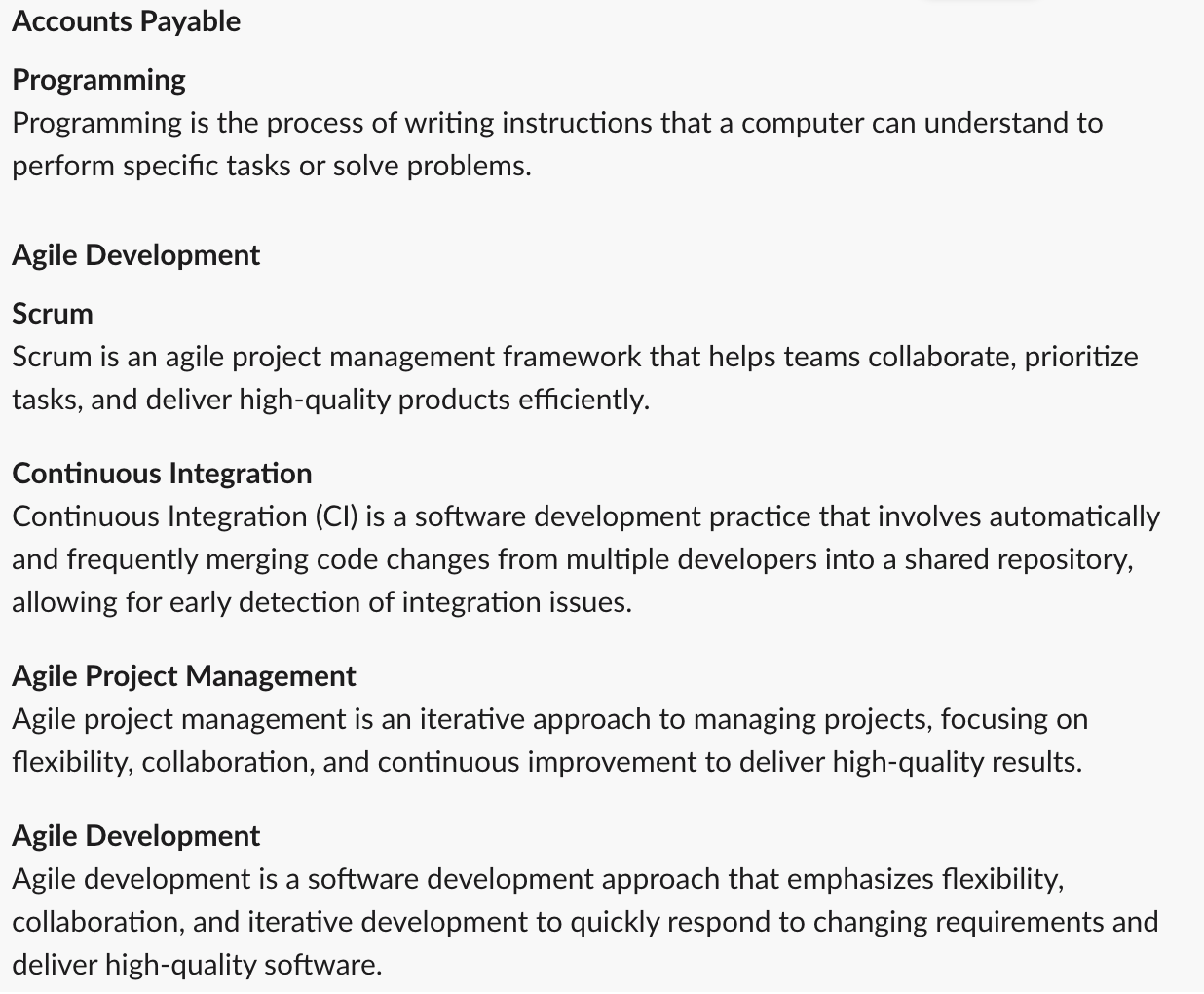 # Validated Suggestions
In this example, the card displays a list of validated Skill Suggestions.
# Validated Suggestions
In this example, the card displays a list of validated Skill Suggestions.
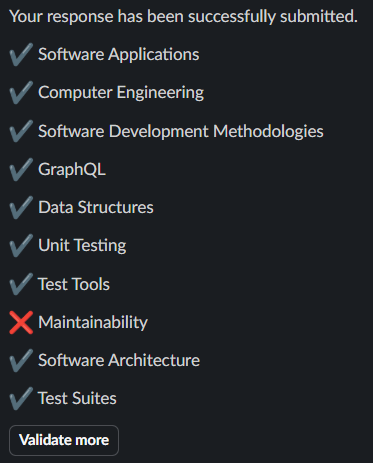 # Outdated Message
When a new reminder or new skill suggestions are sent while previous
suggestions are still unsubmitted, the previous message is replaced with the
outdated message. There is no time-based trigger — this only happens when the
next reminder or new skill suggestions are sent.
# Outdated Message
When a new reminder or new skill suggestions are sent while previous
suggestions are still unsubmitted, the previous message is replaced with the
outdated message. There is no time-based trigger — this only happens when the
next reminder or new skill suggestions are sent.
 # App Home
The Skill Assistant provides an App Home that enables employees to manage their
Skill Profile directly in Slack, similar to the Skill Management Tab in
Microsoft Teams.
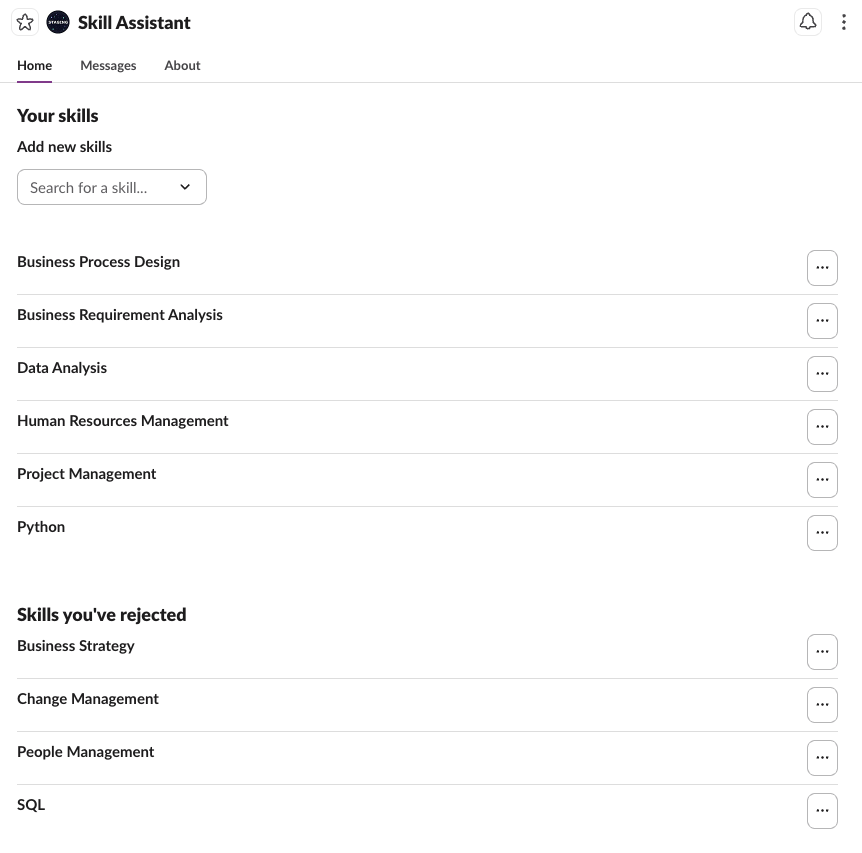
## Example: Default Skill Profile Management
In this example, the Employee can manage their Skill Profile by simply adding or
deleting Skills from the App Home.
# App Home
The Skill Assistant provides an App Home that enables employees to manage their
Skill Profile directly in Slack, similar to the Skill Management Tab in
Microsoft Teams.
## Example: Default Skill Profile Management
In this example, the Employee can manage their Skill Profile by simply adding or
deleting Skills from the App Home.
 ## Example: Skill Profile Management including suggested and self-rated proficiency levels
The functionality can be extended to let the user govern their proficiency level
for each Skill. Each level has a descriptive label so that the Employee knows
what each level means. When available, a suggested proficiency level for each
Skill is shown.
## Example: Skill Profile Management including suggested and self-rated proficiency levels
The functionality can be extended to let the user govern their proficiency level
for each Skill. Each level has a descriptive label so that the Employee knows
what each level means. When available, a suggested proficiency level for each
Skill is shown.
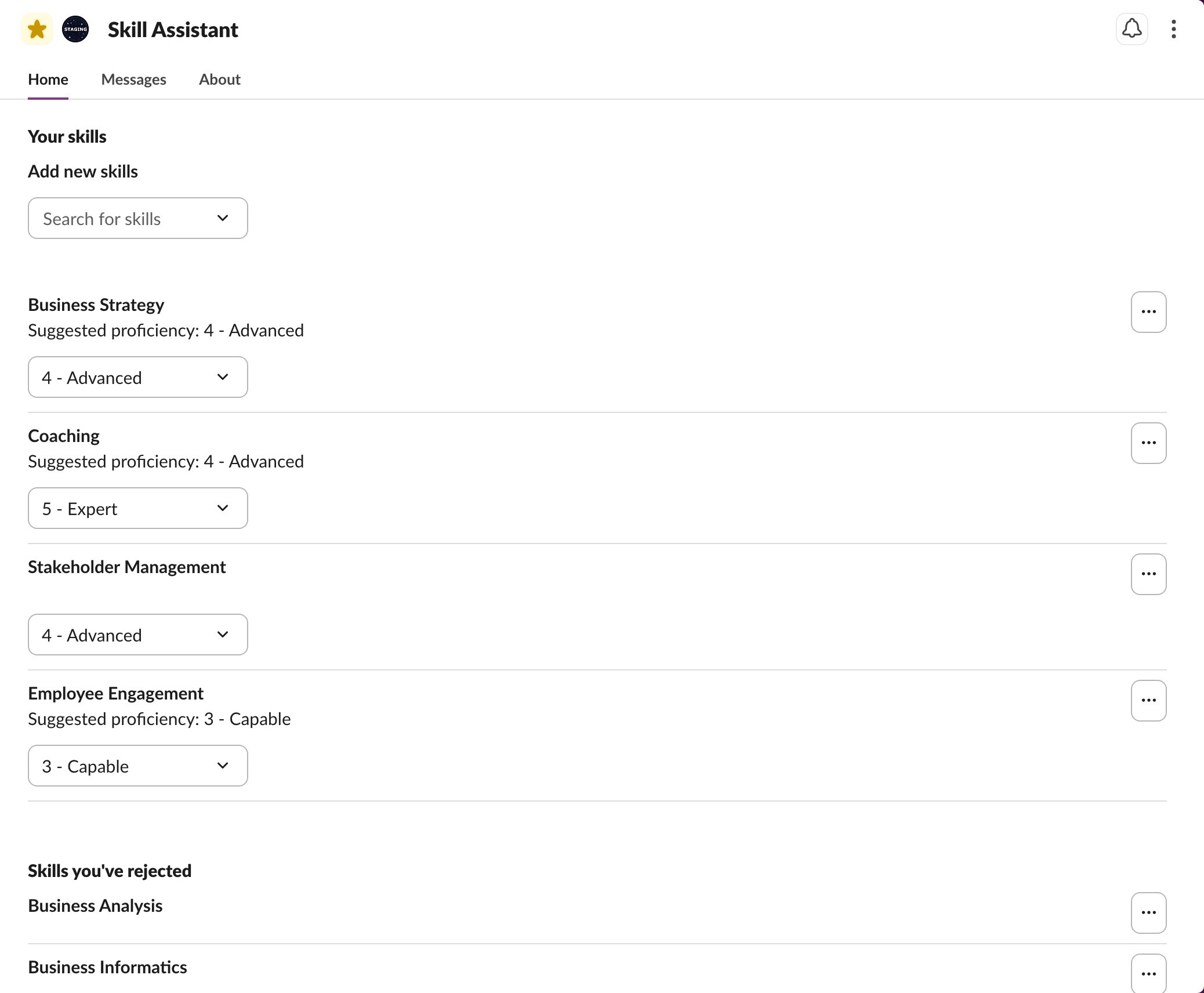 Self-Rated Skill proficiency levels can be updated by the Employee by clicking
on a different proficiency level.
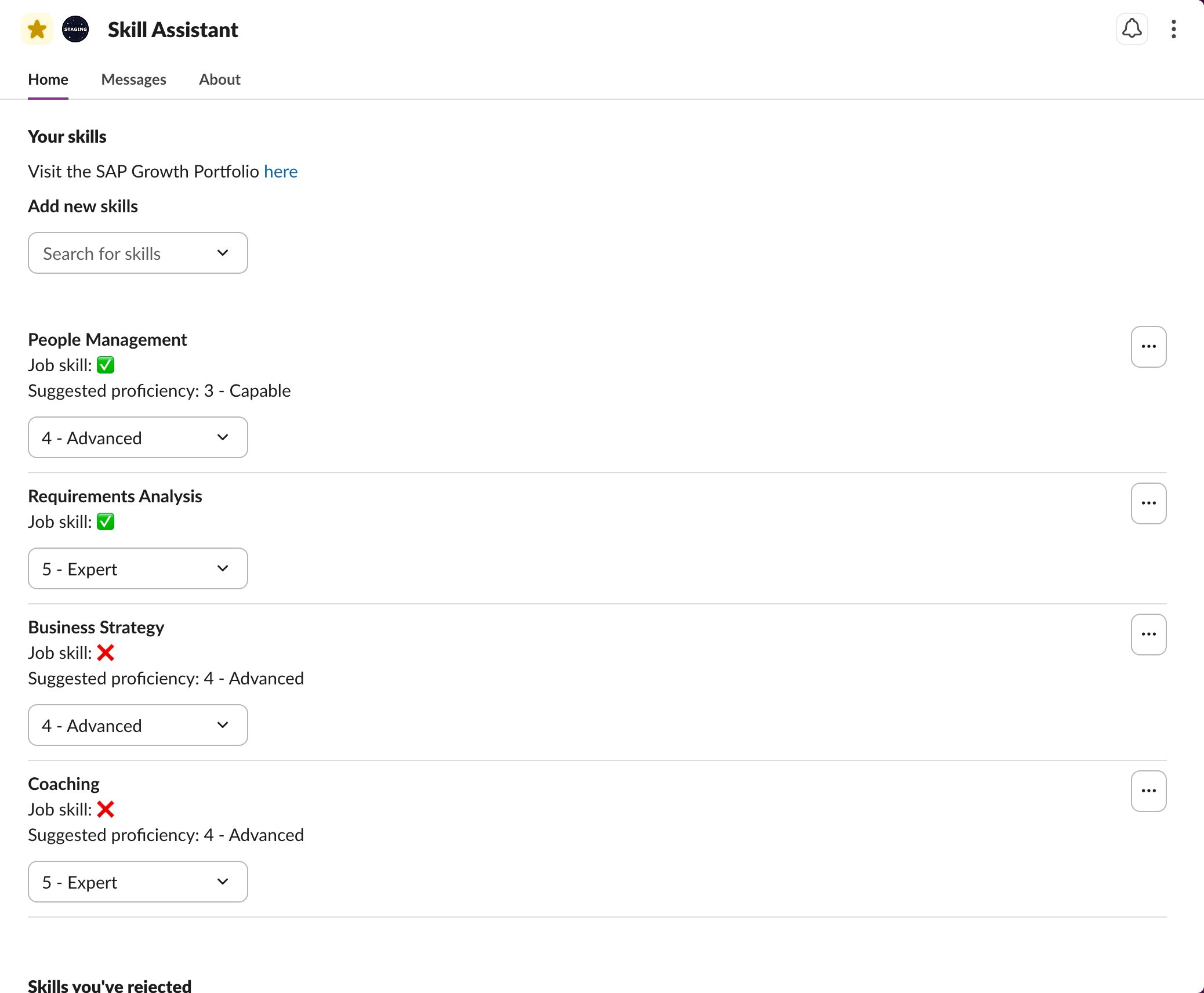
## Example: Skill Profile Management for SAP customers
For SAP customers, the App Home is updated to reflect the same wording that is
used in the SAP Growth Portfolio. A custom message can be configured with a link
to the Employee's SAP Growth Portfolio.
Additionally, the Skills that are already part of the Skill Profile of the
Employee through their Job are shown. The Employee has this Skill because their
Job requires it. Employees cannot delete Job Skills from their Skill Profile.
Self-Rated Skill proficiency levels can be updated by the Employee by clicking
on a different proficiency level.
## Example: Skill Profile Management for SAP customers
For SAP customers, the App Home is updated to reflect the same wording that is
used in the SAP Growth Portfolio. A custom message can be configured with a link
to the Employee's SAP Growth Portfolio.
Additionally, the Skills that are already part of the Skill Profile of the
Employee through their Job are shown. The Employee has this Skill because their
Job requires it. Employees cannot delete Job Skills from their Skill Profile.