> ## Documentation Index
> Fetch the complete documentation index at: https://developers.techwolf.ai/llms.txt
> Use this file to discover all available pages before exploring further.
# How To: Manage the Skill Proficiency Rating Scale in SAP SuccessFactors
## Viewing the Skill Proficiency Rating Scale
Search for `Manage Talent Intelligence Hub`, and navigate to Proficiency Settings > Rating Scale.
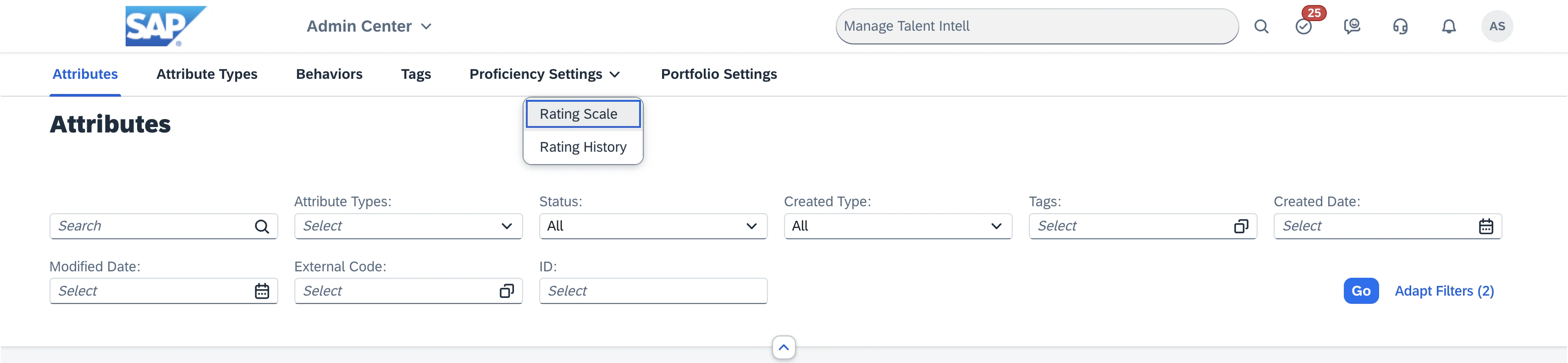 In the filters at the top of the page, find the `Attribute Type` filter.
Click the icon in the filter box to open the dropdown menu, and select `Skill`.
Click on `Go` to apply the filter.
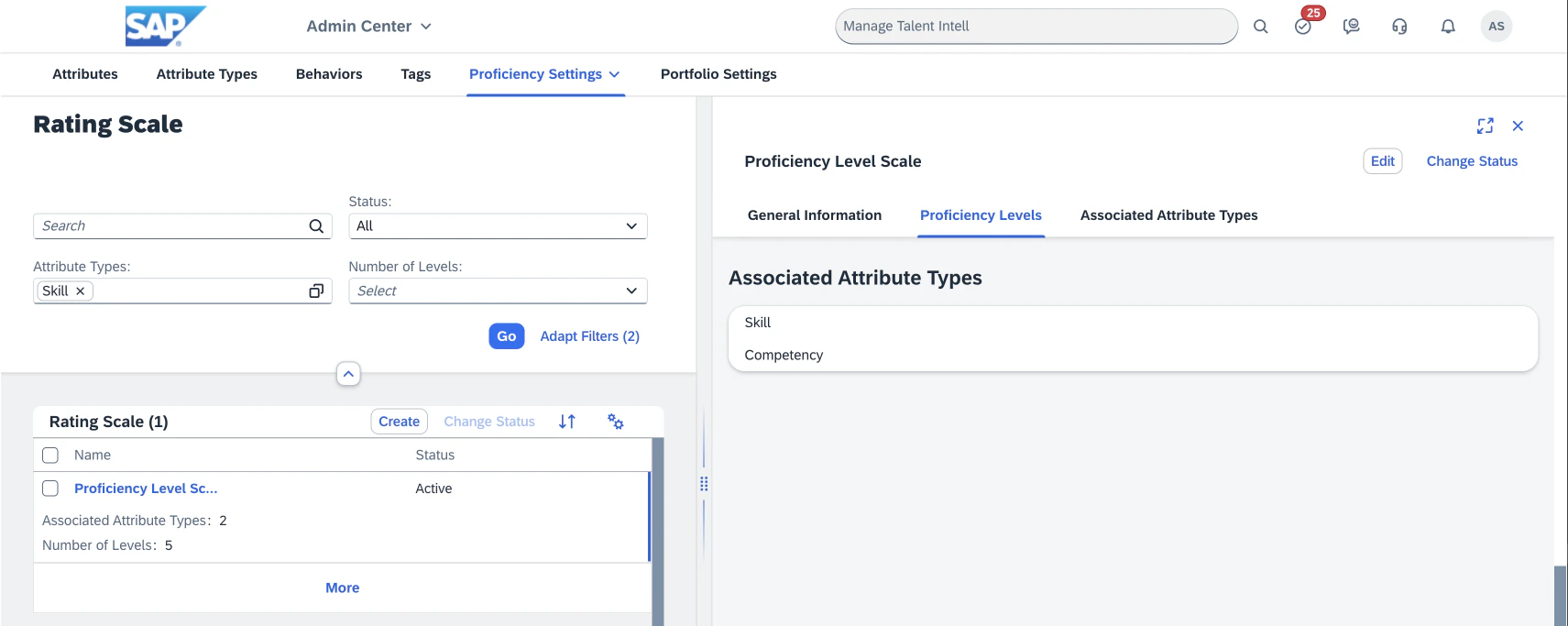
The rating scales for the skill attribute type will now be visible.
Ensure that the rating scale is active.
In the filters at the top of the page, find the `Attribute Type` filter.
Click the icon in the filter box to open the dropdown menu, and select `Skill`.
Click on `Go` to apply the filter.
The rating scales for the skill attribute type will now be visible.
Ensure that the rating scale is active.
 ## Creating a new Skill Proficiency Rating Scale
Proficiency rating scales cannot be deleted once created, only deactivated.
We advise against creating a new scale unless you are sure you need it.
Search for `Manage Talent Intelligence Hub`, and navigate to Proficiency Settings > Rating Scale.
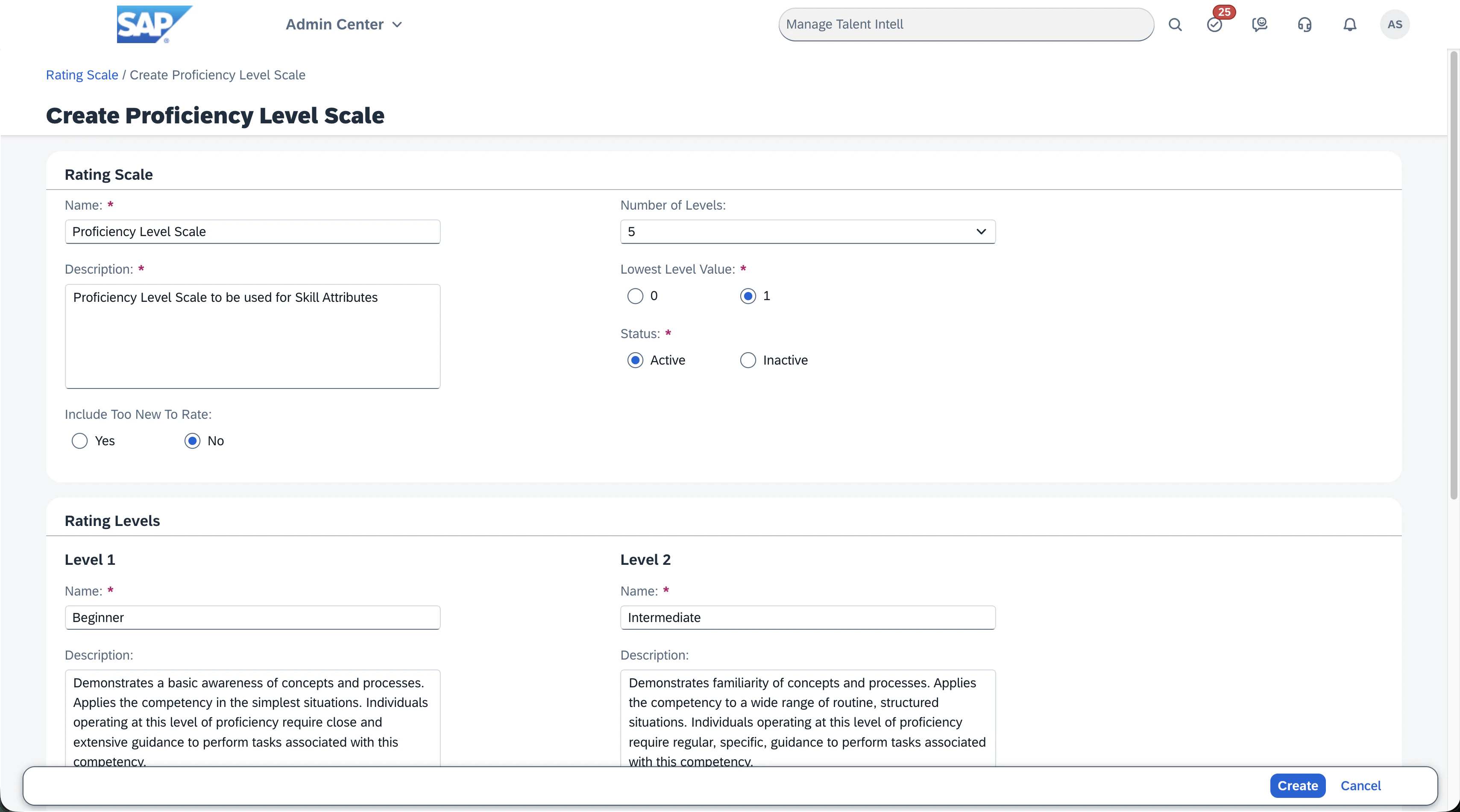
Click on the `Create` button in the top right corner of the Rating Scale table.
Fill in required fields and select the required options:
* Name: The name of the proficiency rating scale.
* Description: The description of the proficiency rating scale.
* Include `Too new to rate` (`Yes` or `No`): Check this option if you want to include a level for skills that are too new to rate. Note that this is not natively supported by the TechWolf integration, so we recommend setting this to `No`.
* Number of Levels (`1` - `10`): The number of levels in the proficiency rating scale.
* Lowest Level Value (`0` or `1`): The value of the lowest level in the proficiency rating scale.
* Status (`Active` or `Inactive`): The status of the proficiency rating scale. When creating a new scale to use in the integration, you should use the `Active` status.
Additionally, you can give a name and an optional description to each level.
Once you have filled in the required fields, click on the `Create` button in the bottom right corner of the page.
## Creating a new Skill Proficiency Rating Scale
Proficiency rating scales cannot be deleted once created, only deactivated.
We advise against creating a new scale unless you are sure you need it.
Search for `Manage Talent Intelligence Hub`, and navigate to Proficiency Settings > Rating Scale.
Click on the `Create` button in the top right corner of the Rating Scale table.
Fill in required fields and select the required options:
* Name: The name of the proficiency rating scale.
* Description: The description of the proficiency rating scale.
* Include `Too new to rate` (`Yes` or `No`): Check this option if you want to include a level for skills that are too new to rate. Note that this is not natively supported by the TechWolf integration, so we recommend setting this to `No`.
* Number of Levels (`1` - `10`): The number of levels in the proficiency rating scale.
* Lowest Level Value (`0` or `1`): The value of the lowest level in the proficiency rating scale.
* Status (`Active` or `Inactive`): The status of the proficiency rating scale. When creating a new scale to use in the integration, you should use the `Active` status.
Additionally, you can give a name and an optional description to each level.
Once you have filled in the required fields, click on the `Create` button in the bottom right corner of the page.
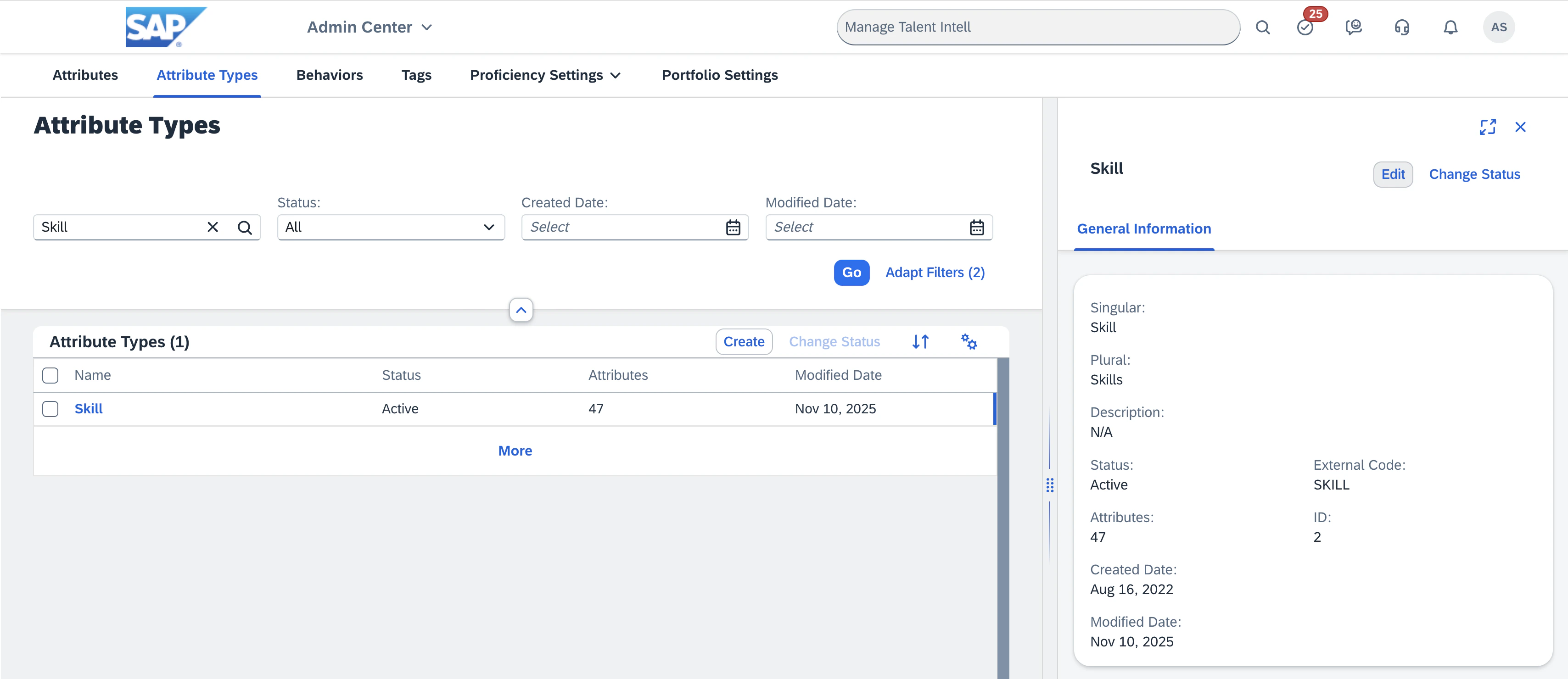
 Navigate to the Attribute Types with the Talent Intelligence Hub management view.
In the filters at the top of the page, enter `Skill` in the default, left-most field.
Click on `Go` to apply the filter.
Find the `Skill` attribute type, and select it.
A new tab should open to the side, showing the details of the attribute type.
Click the `Edit` button in the top right corner of this tab.
Navigate to the Attribute Types with the Talent Intelligence Hub management view.
In the filters at the top of the page, enter `Skill` in the default, left-most field.
Click on `Go` to apply the filter.
Find the `Skill` attribute type, and select it.
A new tab should open to the side, showing the details of the attribute type.
Click the `Edit` button in the top right corner of this tab.
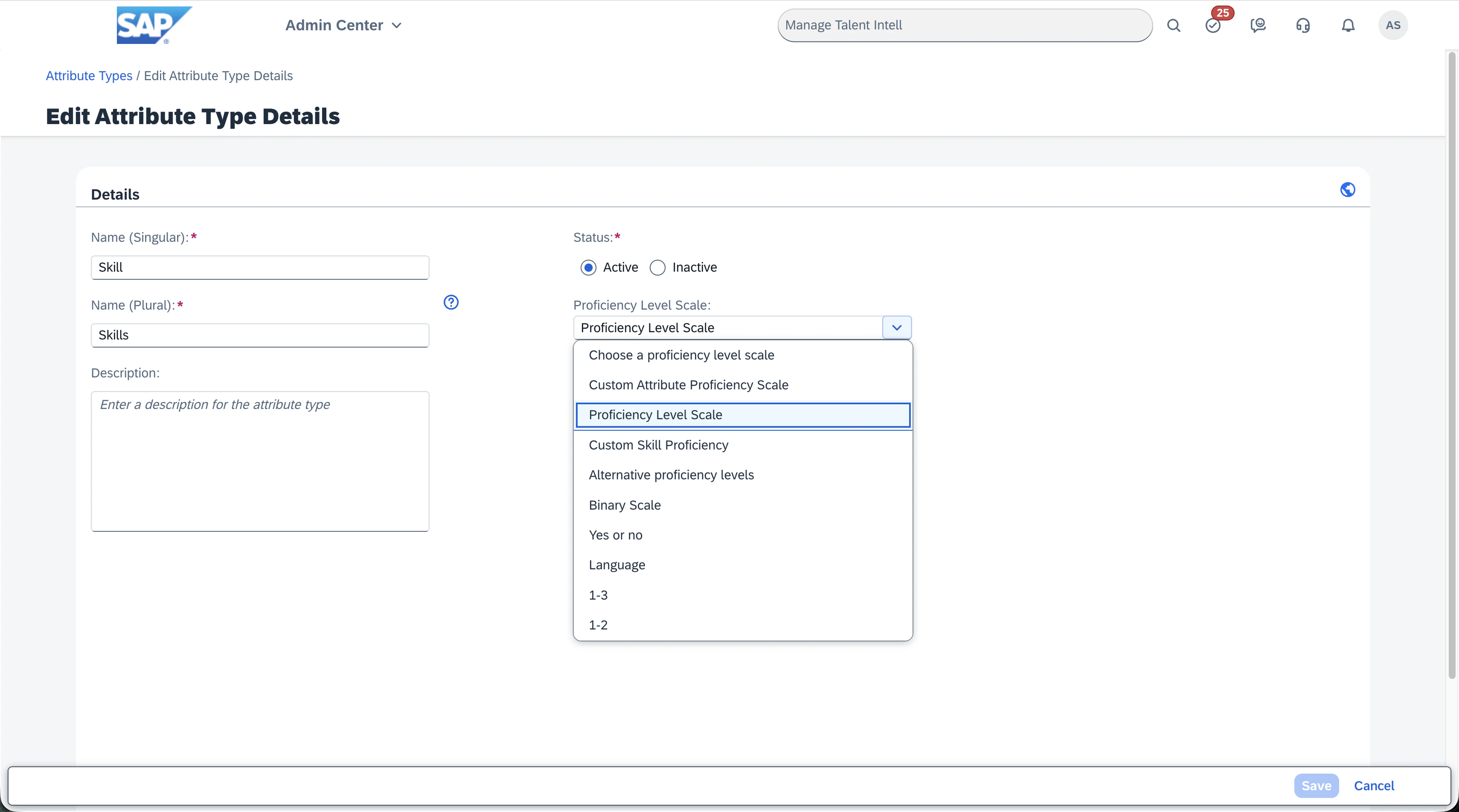
 In the resulting edit page, find the `Proficiency Level Scale` field,
and select the proficiency rating scale you just created from the dropdown menu.
Click the `Save` button in the bottom right corner of the page to save the changes.
In the resulting edit page, find the `Proficiency Level Scale` field,
and select the proficiency rating scale you just created from the dropdown menu.
Click the `Save` button in the bottom right corner of the page to save the changes.