> ## Documentation Index
> Fetch the complete documentation index at: https://developers.techwolf.ai/llms.txt
> Use this file to discover all available pages before exploring further.
# Credits
# Credits
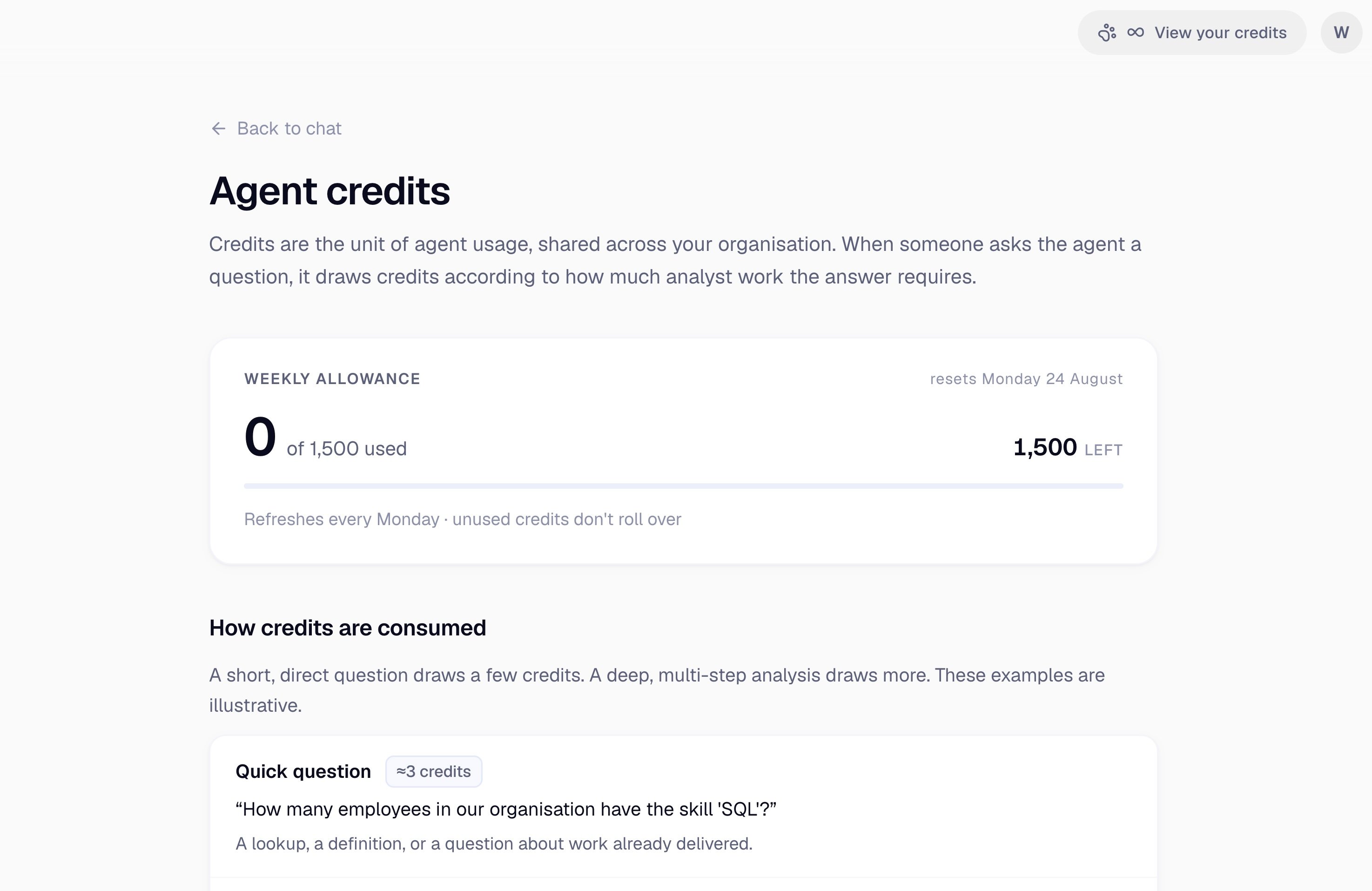
The Analyst Agent comes with a weekly **credit allowance** for your whole
organization, sized to comfortably cover regular use. The current balance is
always visible in the product.
# How the allowance works
* **One shared pool per organization.** The allowance is held at the
organization level, not per person. There is no per-user cap, so you do not
need to divide it between your team in advance.
* **It refreshes weekly.** The allowance resets at the start of each week.
Unused credits do not carry forward.
* **Cost scales with the work.** A simple lookup costs a small number of
credits; a deep, multi-step analysis costs more. Clarifying questions the
agent asks before starting work are free.
* **Purchased credits are separate.** If your organization buys additional
credits, they sit in their own pool, never expire, and are only drawn once
the weekly allowance is used up.
Using the agent through Microsoft 365 Copilot draws on the same shared
pool. There is no separate allowance or additional cost for that surface.
The weekly allowance and its refresh apply to **production tenants only**.
Non-production tenants, such as staging and testing environments, receive a
fixed one-off grant instead. When it is used up, the agent stops responding
in that tenant until TechWolf grants more, so plan evaluation work
accordingly and contact your TechWolf representative when you need a
top-up there.
# Checking your balance
The credit badge in the top right of the agent shows the current balance and
links to the credits page, which shows your weekly allowance, how much of it
has been used this week, the cost of each type of request, and any purchased
credits remaining. Administrators and end users see the same page.
 There is no credit view inside the Microsoft 365 Copilot experience. Check
your balance in the TechWolf Console.
There is no credit view inside the Microsoft 365 Copilot experience. Check
your balance in the TechWolf Console.